The Settings page has tabs: General, Claude, Notifications, Instances, Data and deletion, SSH upload and Overview. There are two kinds of settings:
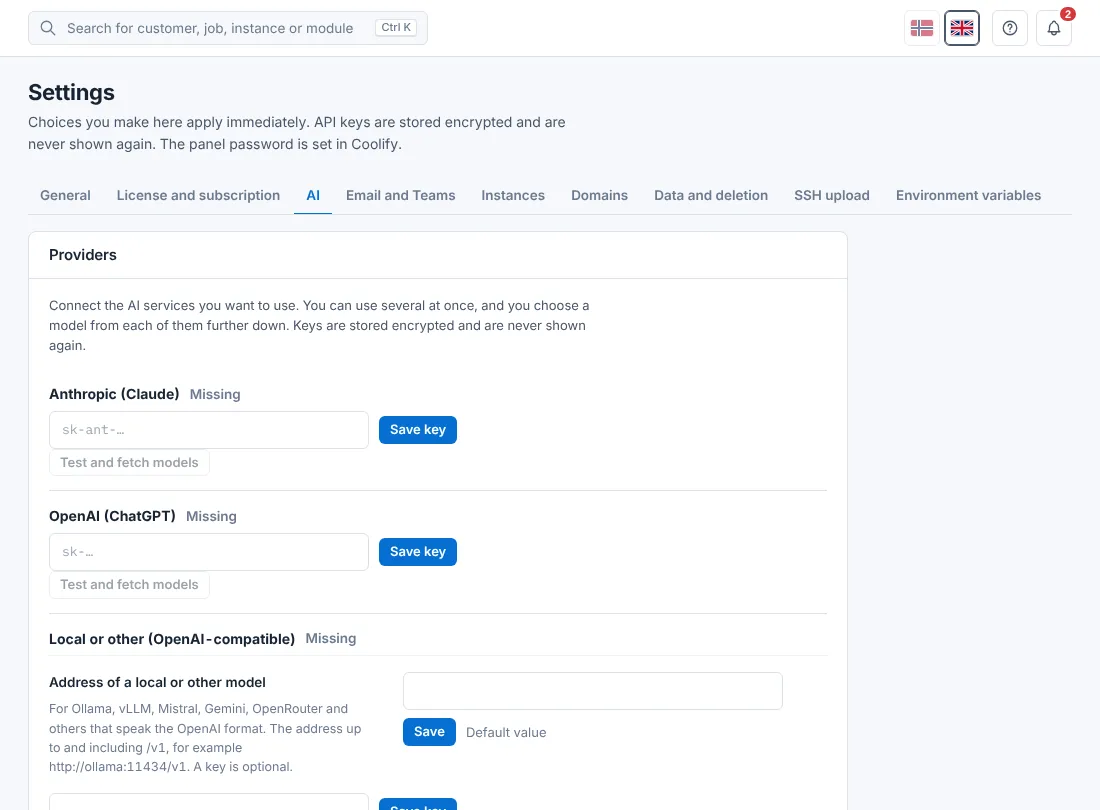
- Choices you make in the panel, which apply right away: model for chat and for module porting (with “Test” that checks that the key has access), company name in the report, time zone, recipients of e-mail notifications, default memory per instance, time of the nightly backup, domain for instances and days before automatic deletion. The environment variable in Coolify is the starting value. If you change something in the panel, it says “Changed in the panel”, and you can go back to the value from Coolify.
- Secrets and setup in Coolify: API keys, passwords, database, network and addresses. Change them in Coolify and redeploy. The panel only shows whether they are set.
The “Overview” tab shows all the environment variables in groups with status. The most important in Coolify:
| Variable | What it does |
|---|---|
| PANEL_PASSWORD | The password for logging in to the panel. |
| ANTHROPIC_API_KEY OPENAI_API_KEY AI_LOCAL_URL | Turns on AI: explanations, suggestions in the wizard, module porting and "Ask Claude". Use one or more, or add them under Settings → AI. |
| GITHUB_TOKEN | Private repos, and write access to push porting branches. |
| RESEND_API_KEY, NOTIFY_EMAIL_FROM | Notifications by e-mail. You choose the recipients in the panel. |
| TEAMS_WEBHOOK_URL | Notifications in Teams. |
| PANEL_URL | The address of the panel, used in links in notifications and customer links. |
| INSTANCE_PROXY_NETWORK | The Docker network of the proxy. In Coolify it is coolify. |