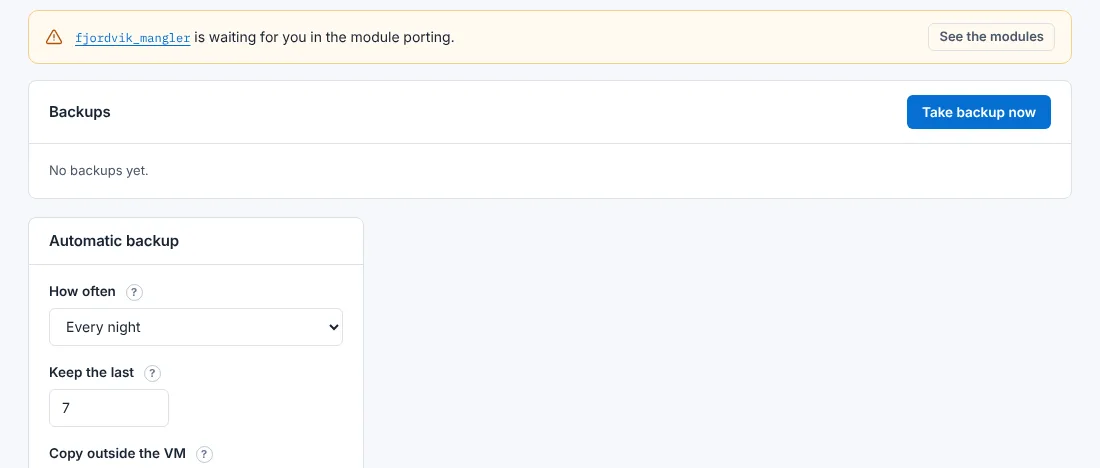
Take backup now makes a zip in the same format as Odoo's own backup. Under automatic backup you choose how often, how many are kept, and whether they are copied out of the house. Restore always takes a backup of the current state first, so you can undo.
Comments: “Take backup now” asks for a comment, for example “Before testing new module”. It is optional. Click the pencil next to a backup to write or change the comment later, also on automatic backups. The comment is shown in the backup list, under Backup and storage and when you create a new instance from a backup. It is stored as a small file next to the backup, so it follows along when the backup is copied out of the house and fetched back.
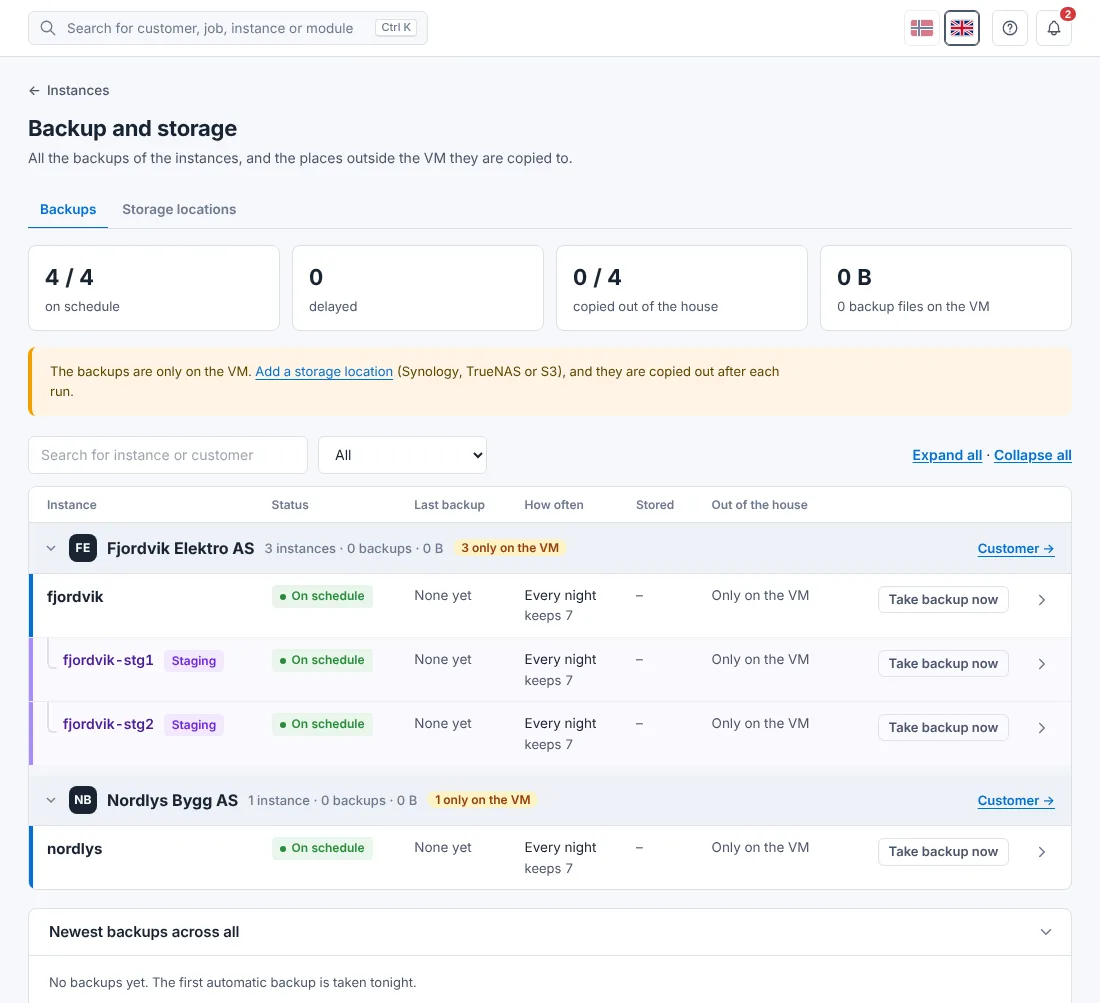
Backup and storage shows all the backups, grouped per customer with main and the stagings together. For each instance you see whether the backup is on schedule or late, when it was last taken, how often, how much is stored, and whether it is copied out of the house. Search or filter on late, copy failed or only on the VM. Customers with something late are always open. “Take backup now” and “Copy out” work straight from the list. At the bottom are the newest backup files across all, ready for download. The “Backup last 24 hours” card on the dashboard goes here.
Under the Storage locations tab you add places outside the VM: Synology or TrueNAS over SFTP (with the panel's SSH key), or S3/Backblaze. The panel mirrors the backups there after each run.