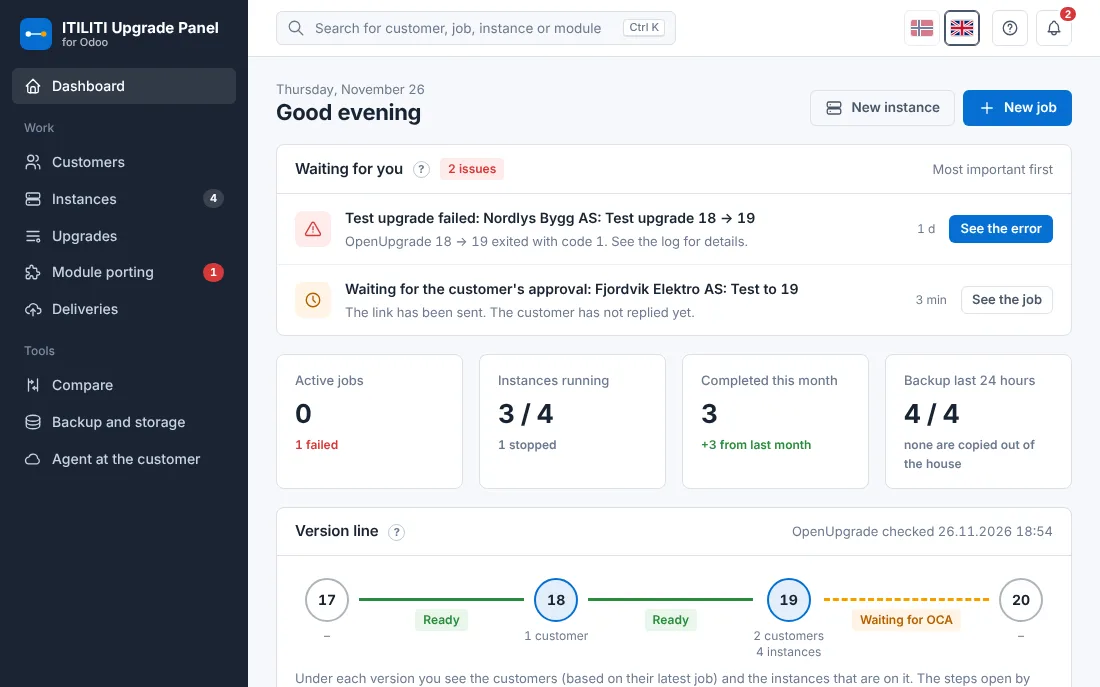
- The side menu follows the workflow. Under Work are Customers, Instances, Upgrades, Module porting and Deliveries, with numbers for what is running, in progress or waiting for you. Under Tools are Compare, Backup and storage, and Agent at the customer. System status and Settings are at the bottom. You reach notifications and help with the bell and the question mark at the top right. On mobile you open the menu with the button at the top left.
- Deliveries shows all deliveries to the customers' staging (“Put into use at the customer”): how far each has come, and what is waiting for you.
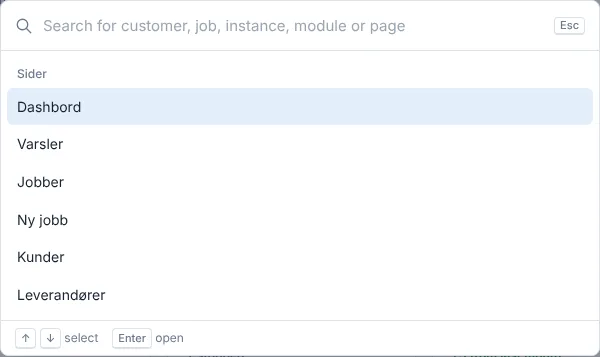
- Search: press Ctrl + K (or click the search field) and type a customer name, a job, an instance, a module name or a page. The arrow keys choose, Enter opens.
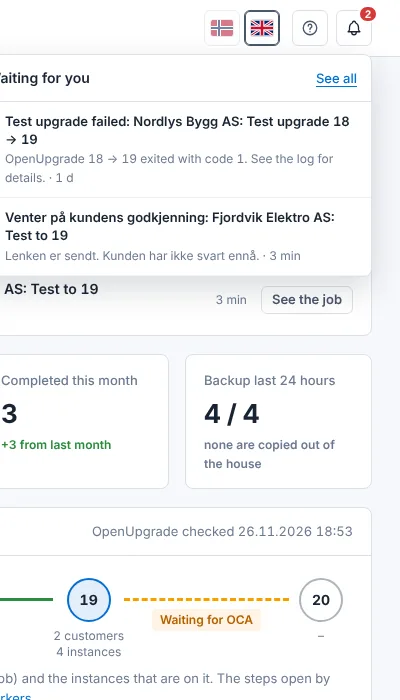
- The bell shows how many items are waiting for you. Red means something has failed.
- The question mark at the top brings you here. The blue help boxes on each page can be hidden with the cross; the button at the top of this page brings them back.
- Close and open: lists and boxes with an arrow in the right corner can be closed by clicking the heading. The panel remembers the choice. “Latest events” and long lists, such as installed modules, start closed and show the count in the heading.
- Small question marks next to choices and fields explain what the choice does. Hold the mouse pointer over them, or tap them on mobile.