
ITILITIUpgrade Panel
Guide/Instances

The overview

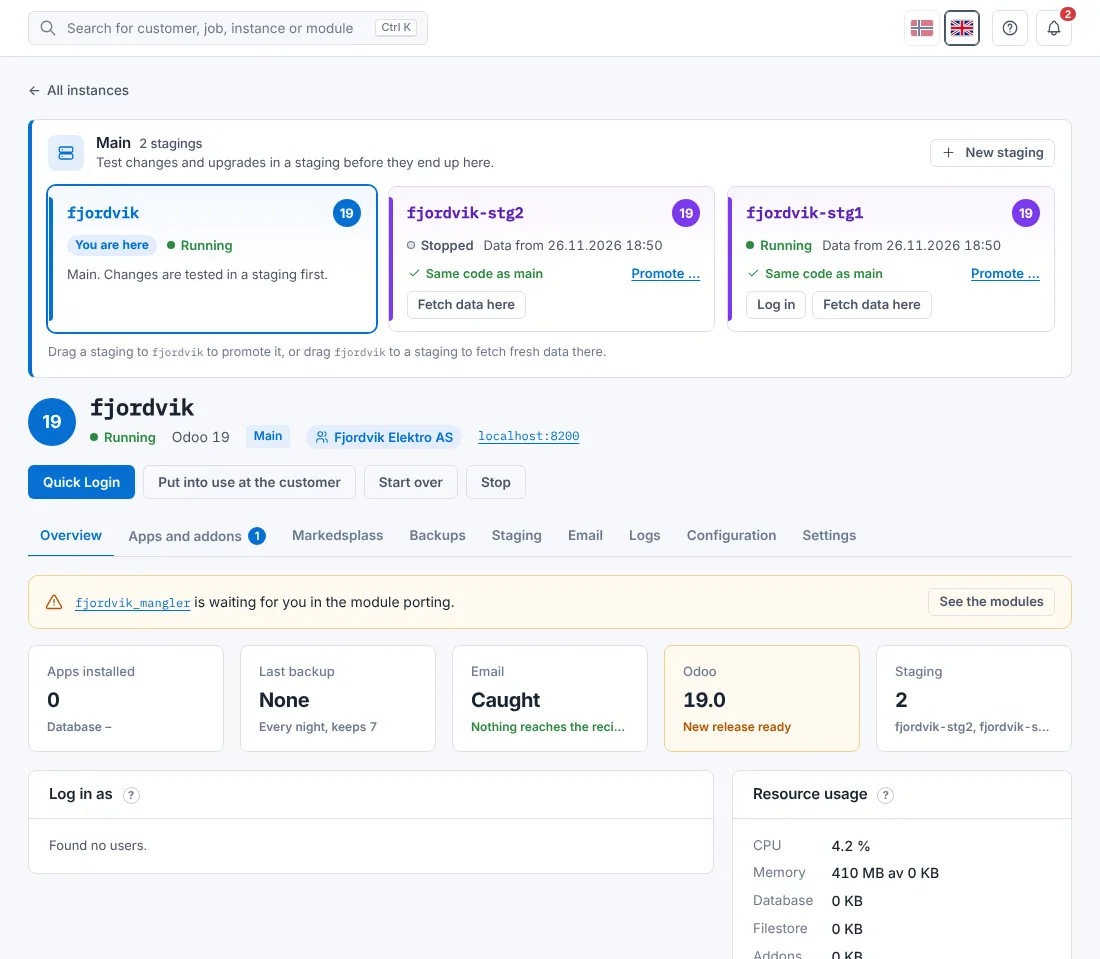
The instance overview: the cards for main and the stagings, key figures, login and resource use.
The key figures on the instance. “Odoo” turns orange when something is ready.
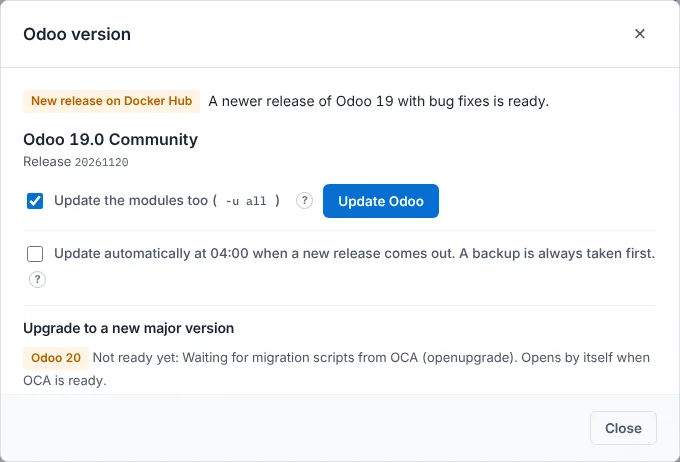
The “Odoo version” dialog: update, automatic update and new major version.
  • Quick Login and Log in as give a login link that works once, without a password.
  • The key figure Odoo shows the version, and turns orange when a new release or a new major version is ready. Click it for Update Odoo (the latest release within the same version, with backup first, optionally automatic at 04:00) and upgrade to a new major version.
  • Upgrade to a new major version with OpenUpgrade: “in place” switches the instance by itself when the job is finished; “as a job only” leaves the instance as it is.