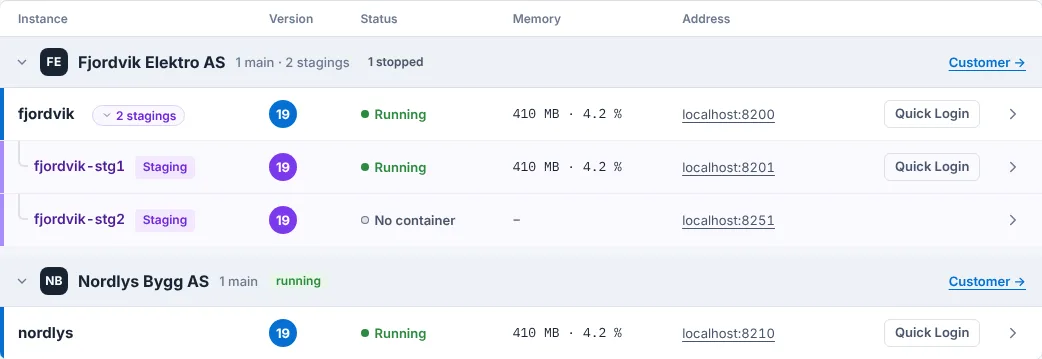
An instance is a separate Odoo in its own container on the server. Use them to test modules, run a copy of a customer's database, or as a permanent staging.
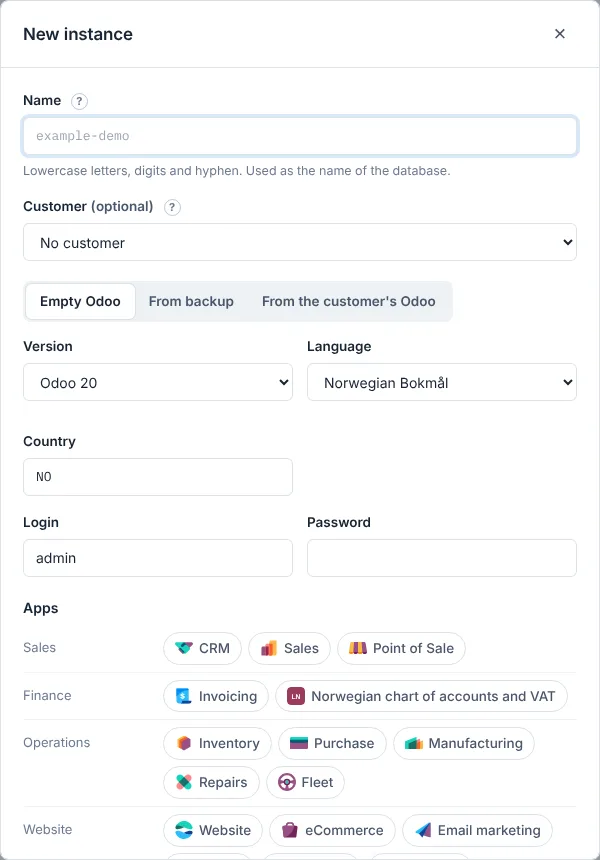
Give the instance a name with lowercase letters and hyphens, choose version and language, and tick apps. You can also create it from a backup, from the result of a job, or fetch it via the agent.
The list of instances is grouped per customer. Each customer has a heading with the number of mains and stagings and a short status (all running, stopped, failed). Click the heading to close or open the group, and “N stagings” to close the stagings under a main. The panel remembers what you have closed; a group with something that has failed opens anyway. Search for instance or customer, filter on status, or choose “Group: None” for a flat list. The customer is chosen in “New instance”, or under Settings on the instance.