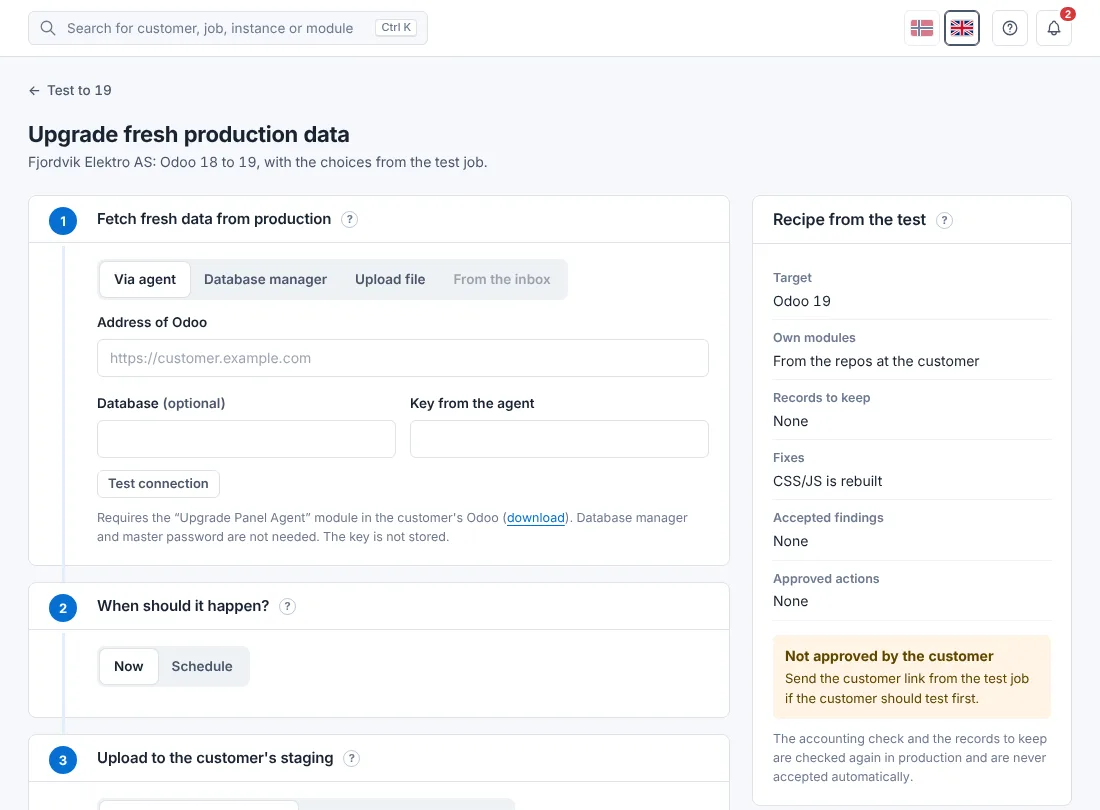
- Fetch fresh data from production via agent, database manager or file. The panel only reads; nothing in production is changed.
- When should it happen? Now, or scheduled for example for the night.
- Upload to the customer's staging (database manager or SSH), or download it and do it yourself.
The recipe on the right is the choices from the test: target version, own modules, records to keep, fixes and approved actions. The panel does not upload if the wizard finds something that stops it.
The panel never uploads to production. The result is uploaded as a copy with a new database ID and neutralized. Targets marked Production on the customer, and targets with the same address or database name as production under Hosting, are blocked. You or the provider make the move from staging to production.